Many LinkedIn accounts
Connect more than one LinkedIn account. Set daily limits and start slow so accounts stay healthy.
Built for agencies, sales teams, and founders who send LinkedIn messages every day.
Find the right people, send invites and messages at a safe pace, and answer every reply in one inbox. AI can help draft — you take over when a chat needs a real person.
Try the live demo — no signup needed. Growth & Pro coming soon.
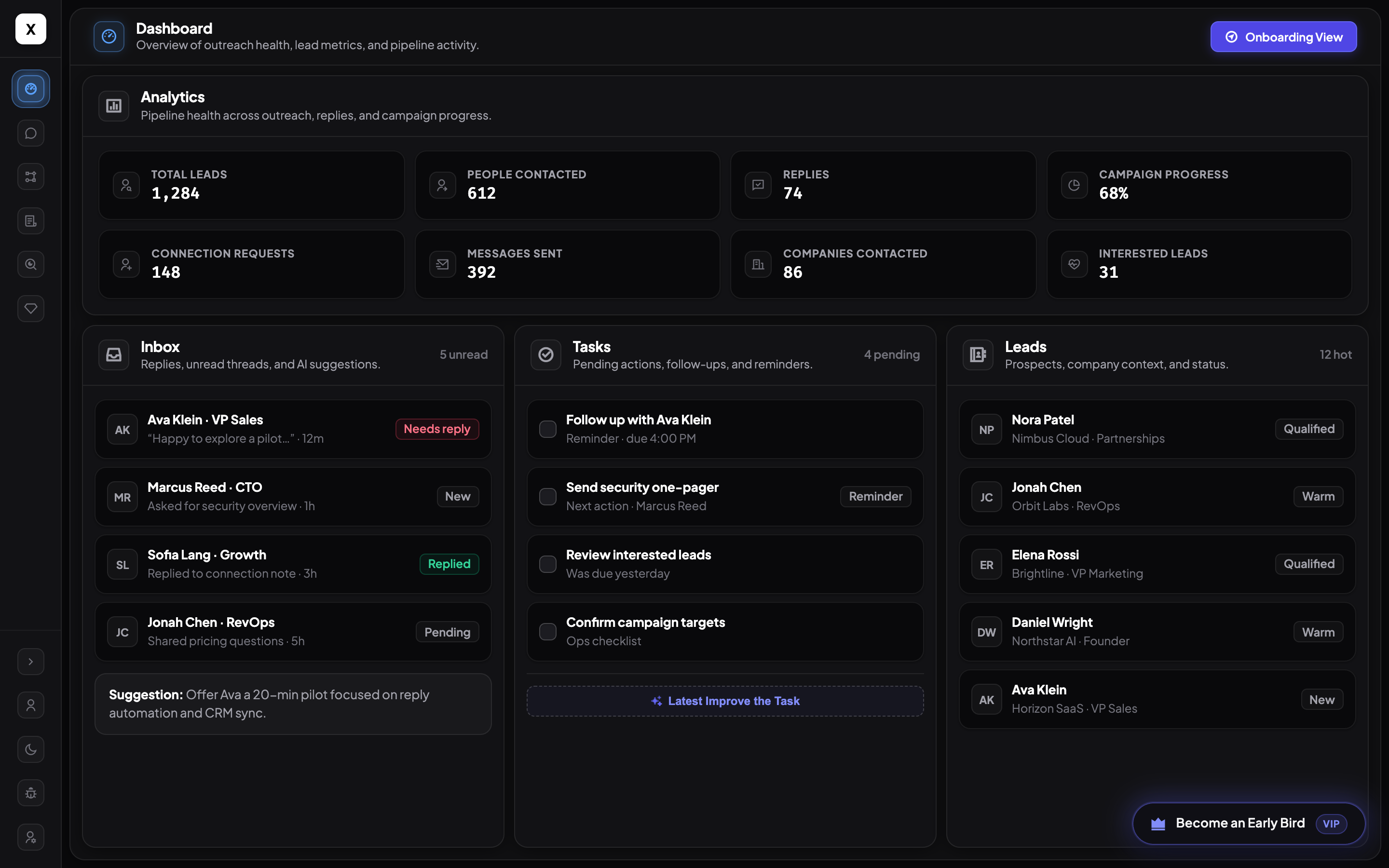
When your lists get big, doing everything by hand is slow. HeyLeads connects your LinkedIn accounts, finds people to message, sends for you, and shows you the replies that matter.
Connect more than one LinkedIn account. Set daily limits and start slow so accounts stay healthy.
Search companies and people from a list we keep fresh — so you message real, active leads.
Connect, warm up, then message — in clear steps. See progress as each campaign runs.
AI helps pick good-fit leads and write personal messages. Growth and Pro unlock more AI help.
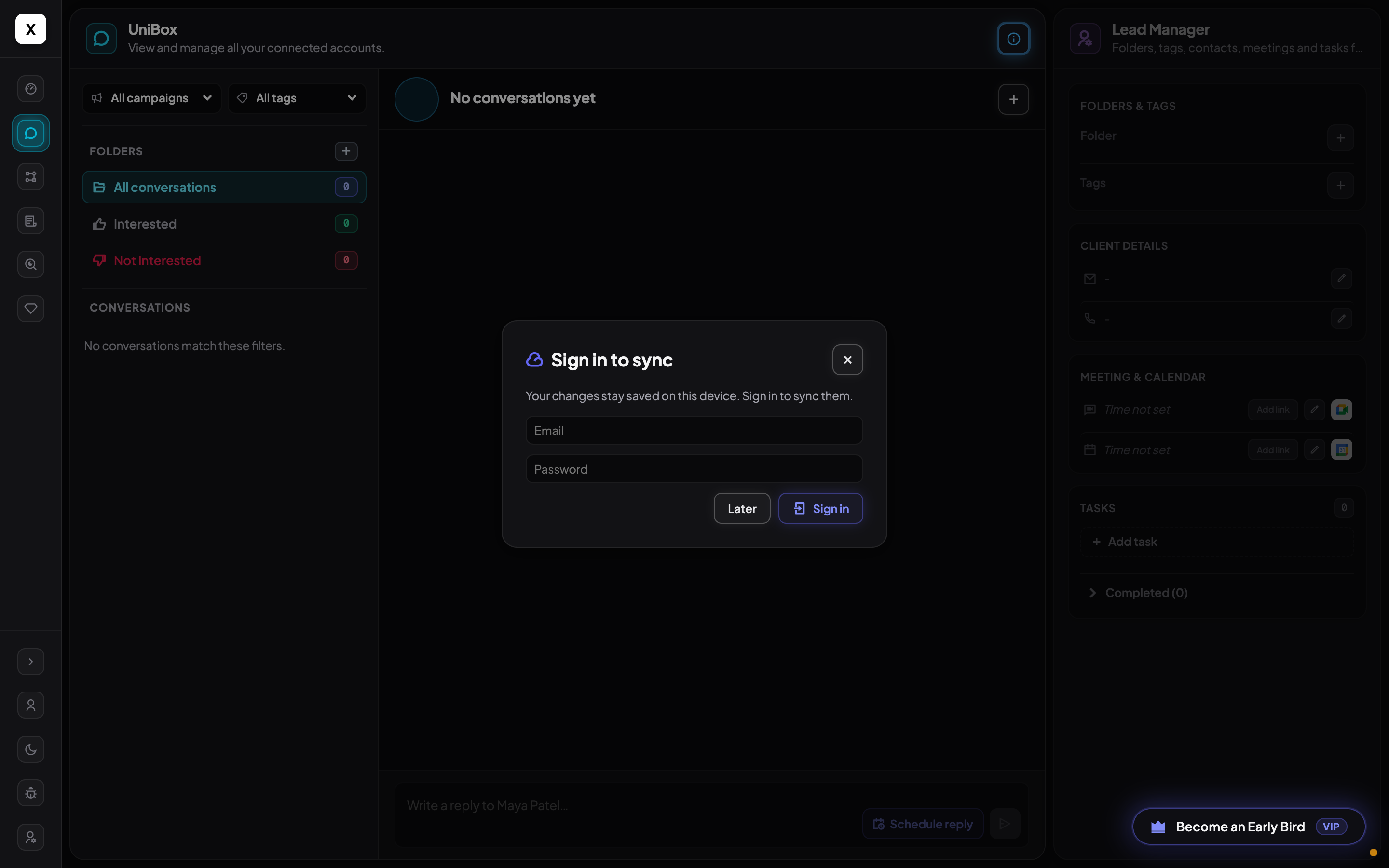
See replies from every account in one place. Jump in when someone asks about price or a meeting.
Keep lists up to date, sync to Sheets or your CRM, and watch invites turn into real chats.
Real screens from HeyLeads — find people, run campaigns, reply in one inbox, and get AI help when you want it.
We keep our company and people list up to date, so you get active leads — not old profiles that never reply.
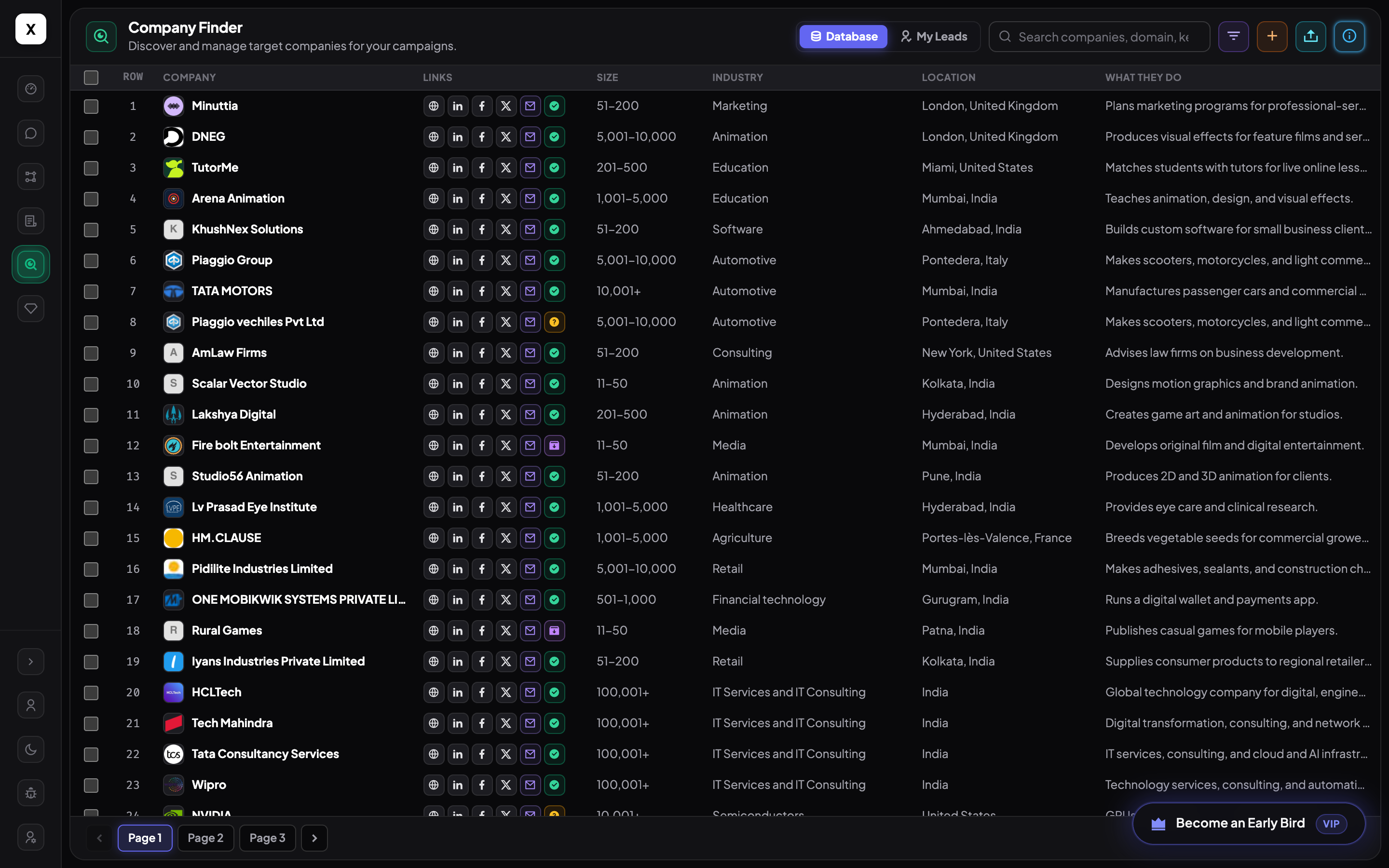
Lists stay current as we refresh records. Import people, mark who is a fit, and sync — so you do not waste messages on old contacts.
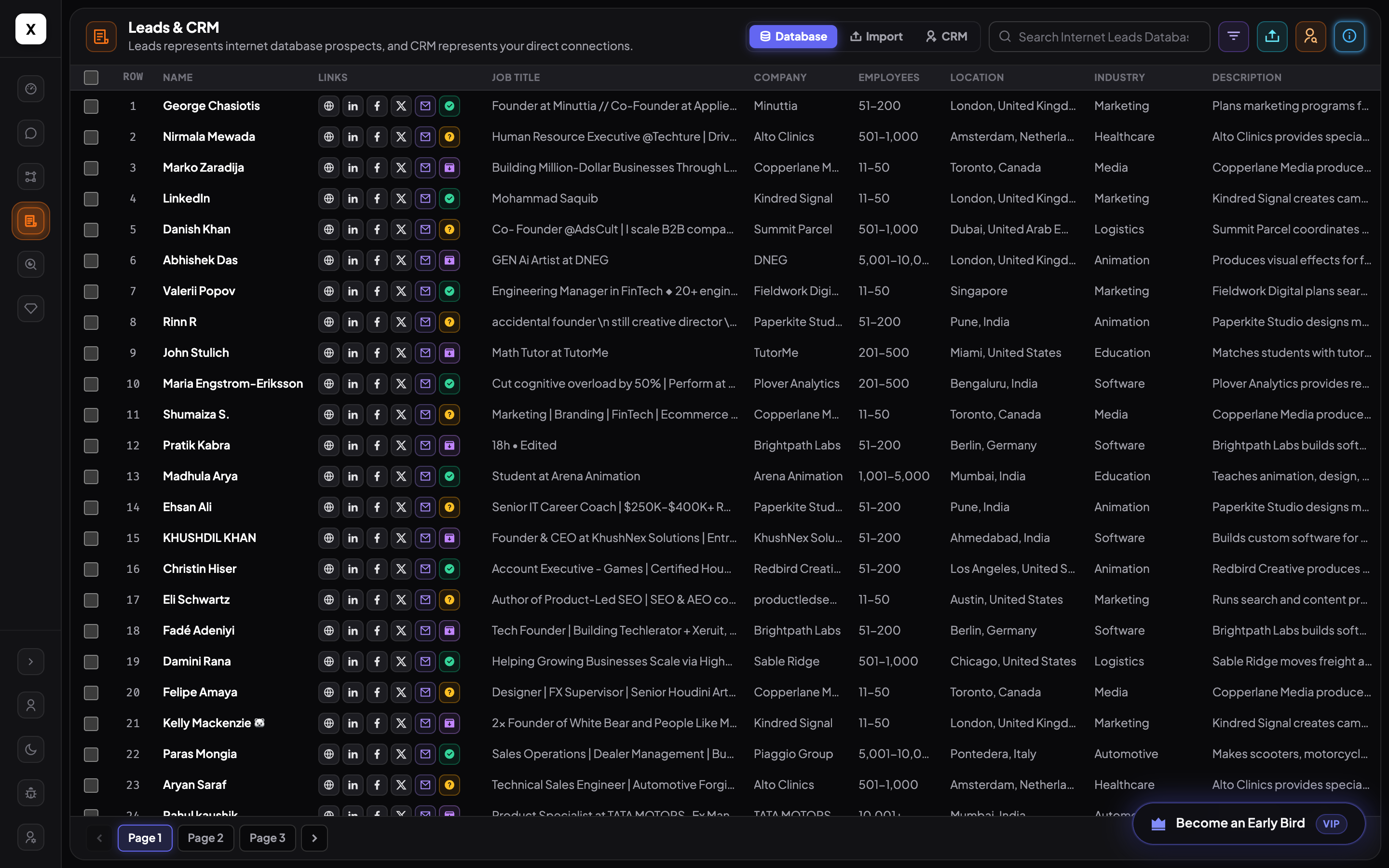
Warm up first, then send invites and messages with daily limits — so accounts stay healthy while you reach more people.
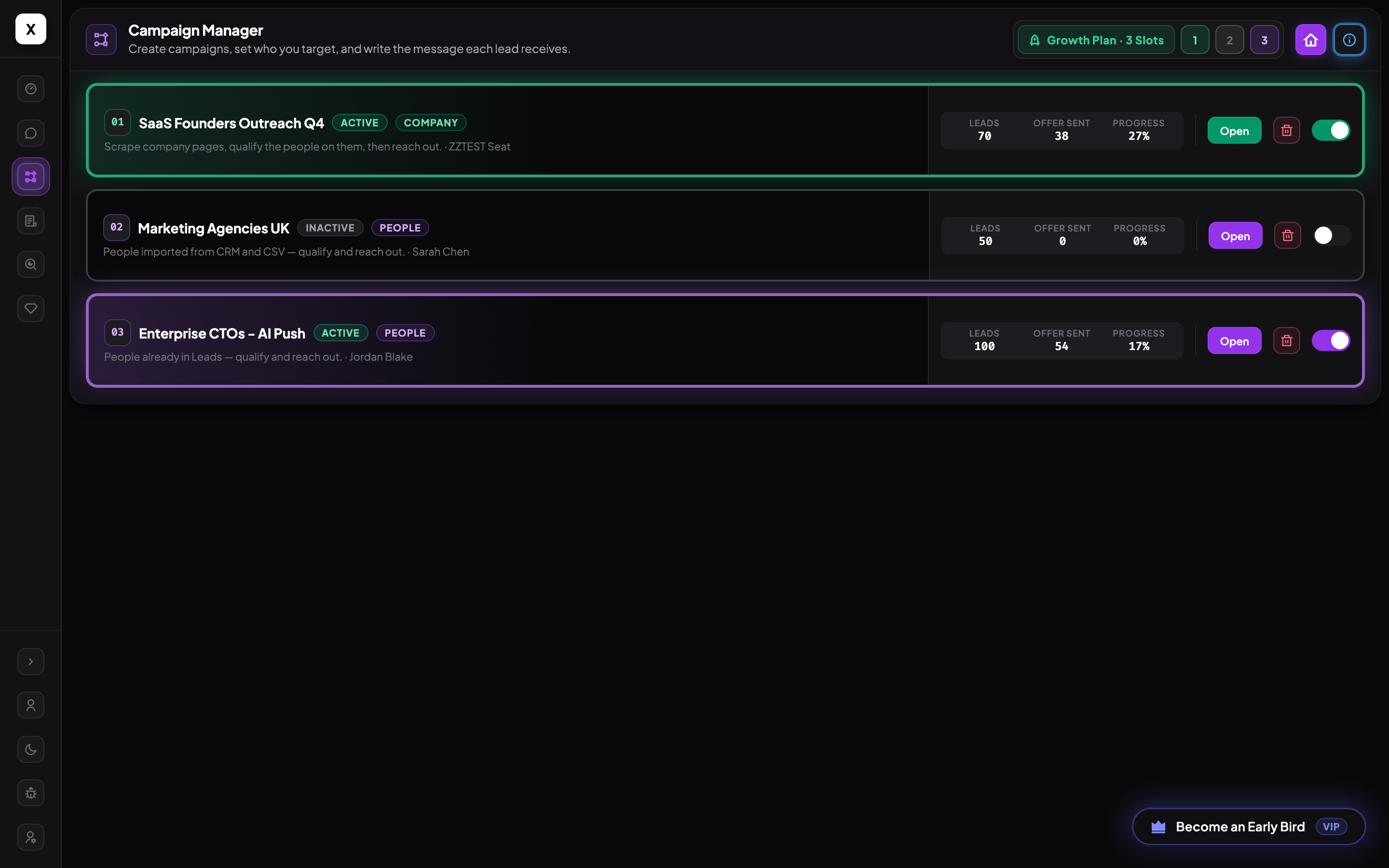
AI helps spot good-fit leads and write first messages. When a reply needs a real person, HeyLeads hands it to you instead of guessing.
Every LinkedIn reply lands in one place. AI can draft answers; you take over when someone asks about price, a meeting, or something tricky.
HeyLeads slows down when it should, warms accounts up first, and shows you how each profile is doing — so you can send more without getting blocked.
We ease your account in with light activity first, so LinkedIn sees normal use before you send more invites.
Invites and messages go out with pauses and daily limits — more like a real person, less like a blast.
See how each LinkedIn account is doing while campaigns run, so you can spot problems early and keep sending with confidence.
Link your accounts, finish setup, and set daily limits for each one.
Use Company Finder or upload a list, then pick who belongs in the campaign.
Send invites and messages at a safe pace, with templates or AI drafts.
Answer warm replies fast, handle tricky chats yourself, and save wins to your CRM.
Start on Basic today, or open the live demo and click through Company Finder, campaigns, and Unibox yourself.